By Brett McCarron, webmaster

Speed Up Graphic Image Load Times
The Blame Productions
|
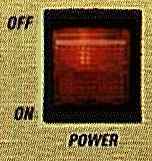
The solution was to include the two new graphics for page 2 on page 1. Thus the graphics would already be in the cache, so there would be no time delay when the switch was clicked. This was done by specifying a height and width of zero in the image tags for each of the two graphics I wished to preload. To illustrate, click anywhere on the switch graphic above and watch what happens. The <IMG SRC="imagex.gif" HEIGHT=0 WIDTH=0> tag was used for each. Even though they have a width and height of zero, they are still placed in the cache. The image is a clickable link that calls a second page. Be sure that the graphic is placed in a similar position on the new page so that it doesn't spoil the effect. |

Webmaster Secrets
Last Update:
Copyright © 1996-2004 The Blame Productions
Trademarks and copyrights used herein are the property of their respective holders.